Cue
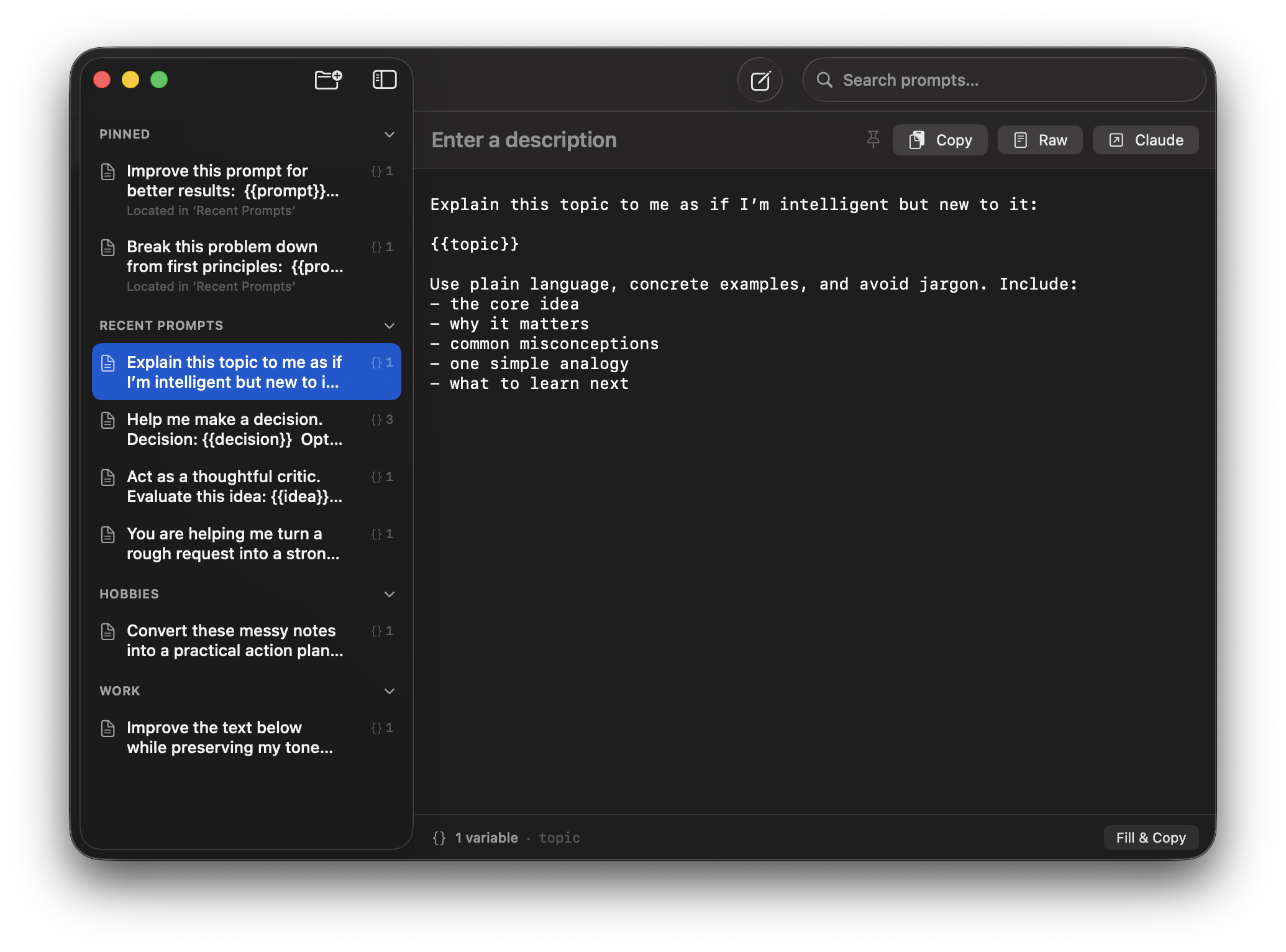
Cue is an app for writing, organizing, and reusing prompts.
Fill in {{variables}} on copy, organize prompts into projects, pin the ones
you use most, and hand off to Claude or ChatGPT with ⌘⏎.
Prompts are plain markdown files with YAML front matter — no database, no cloud, no account. Sync via iCloud, Dropbox, or git by symlinking the prompts folder.
Features
Variables
Any {{name}} token in the body becomes a variable. A fill sheet lets you substitute values with a live preview before copying. Unfilled variables pass through unchanged.
Hand-off
Copy the filled prompt and activate Claude or ChatGPT in one step. Falls back to the web client if the desktop app isn’t installed. Optional auto-paste via Accessibility.
Projects
Organize prompts into project folders. New prompts land in Recent Prompts until you file them. Right-click to move between projects.
Pinned Prompts
Pin frequently used prompts to the top of the sidebar. Each pinned row shows which project it belongs to, and appears exactly once.
Plain Files
Each prompt is one .md file with YAML front matter. No database, no index. Edit in any editor and reload. Put the folder under git for version control.
Search
System search field in the toolbar. Matches prompt descriptions, bodies, and tags. Results replace the sidebar list while typing; select one to jump to it.
Copy Actions
Three modes: Copy (fills variables first), Raw (template with placeholders intact), and Claude/ChatGPT (copy + activate). Green confirmation in the header.
Sync
Symlink the prompts folder to iCloud, Dropbox, or a git working copy. Cue follows the link transparently. Reloads automatically when the app returns to the foreground.
Auto-save
Every keystroke schedules a save 400 ms later. Switching prompts or backgrounding flushes immediately. No Save button to forget.
Keyboard Shortcuts
⌘NNew Prompt
⌘⇧NNew Project
⌘CCopy
⌘⇧CCopy Raw
⌘⏎Claude / ChatGPT
⌘RReload
⌘FSearch
⌘,Settings
Requirements
- macOS 26 (Tahoe) or later
- Apple Silicon